Article
The document was confidential. The folder was public.
By Gustavo Costa•11/18/2026

I found a confidential file on a website. The clue was in the terms of use link.
On the About page, I clicked the terms of use link. It opened a public document. When I looked at the folder where the terms were stored, I could also see an index of its files in the browser. This simple page, with a link for each file, is called a directory listing.
Among the files was an internal document about company acquisitions. I opened it without signing in. The same server that gave me the terms of use had just handed me a document meant for staff.
The site was OWASP Juice Shop, a fictional store built to teach web security. I found the file in “AH! Don’t look!”, a task in the TryHackMe room. OWASP Juice Shop on TryHackMe
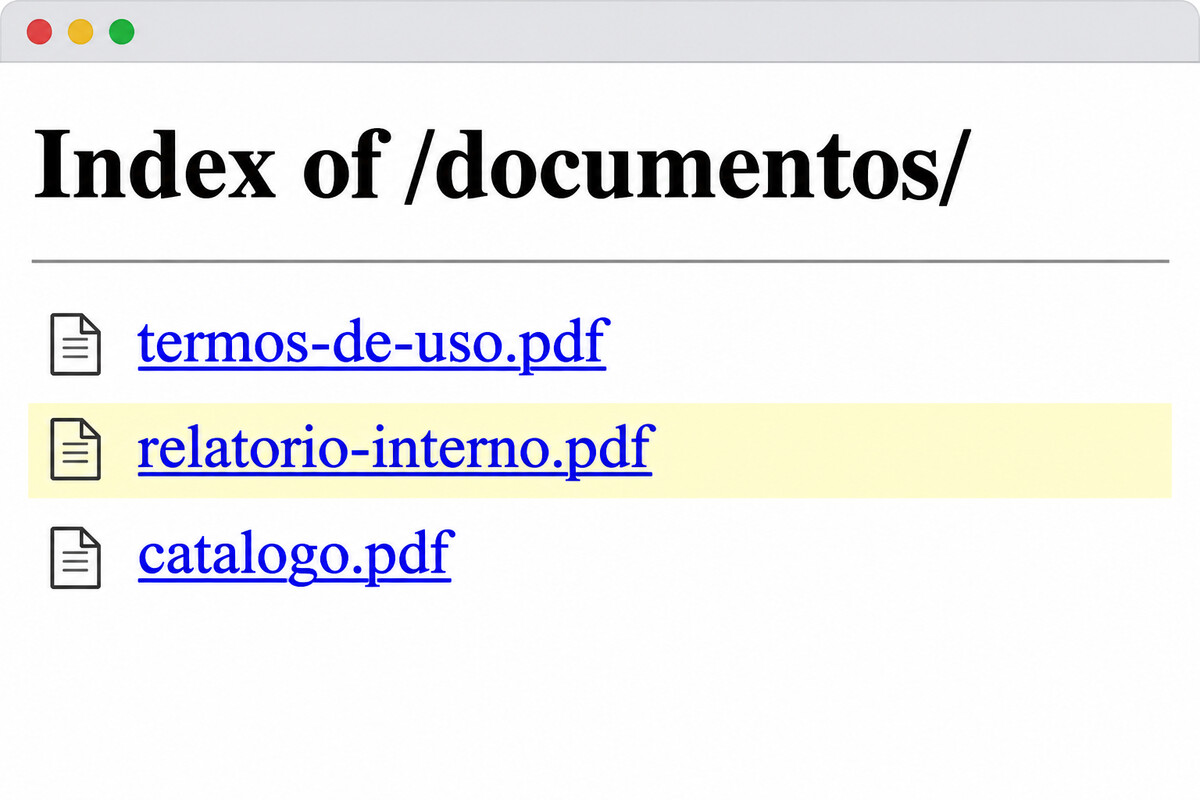
Illustrative reconstruction using fictional filenames. The terms of use and an internal report appear as links in the same list.
How the folder made the file public
Imagine the store puts its terms of use and an internal report in the same folder. The site links only to the terms, but the server is set up to give any visitor any file in that folder. If someone asks for the report, the server hands it over too.
The list on the screen helped me find the report. The folder’s access settings let me open it. Those settings were the security misconfiguration. The data exposure was the result: a visitor could read a document meant for staff.
The OWASP Web Top 10 for 2025 groups configuration risks under A02. Here, the setting that matters determines which files the server can give to visitors. OWASP Web Top 10 for 2025

The terms of use stay public. Internal documents go in a folder with restricted access.
Would hiding the list fix it?
Turning off directory listing removes the index. That makes the document harder to stumble across. Access to the document depends on a separate decision: what does the server do when someone requests the file directly?
If the server still hands over the document without checking permissions, the file remains public. A previously shared address, for example, would still work after the index disappeared.
The fix begins by separating the files. The terms stay in the public area and the acquisitions document goes into private storage. If staff need app-based access, the server should verify who is asking for the file and whether they have permission before sending it.
How to verify the fix
Open a session without signing in. The terms should still be available. The acquisitions document should be inaccessible, including at the address that used to work. If the app provides internal access, also check that an ordinary account is denied and an authorized account can open it.
Before publishing a folder, ask the question that could have prevented the leak: besides the file I intended to publish, what else can the server hand to a visitor?